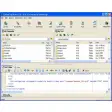
FTP Explorer is a 32-bit FTP application that is extremely simple to operate, and makes moving files between the Internet and your computer as simple as local file manipulation.
Several features of FTP Explorer make it stand head and shoulders above most other FTP programs that are currently available.
Background transfers
Download or upload files to one or more servers while browsing and selecting files to transfer on another.FTP Explorer handles all file transfer requests in the background, so you don't have to wait while files copy to continue browsing the current server.
You can even connect to a different server, and the program will automatically log off of the original server once the requested transfer has completed.
Auto-retry
Can't connect? Not to worry because FTP Explorer will automatically retry if the connection attempt fails. You can configure the number of times it should try to connect, and the time delay between connection attempts.Resume broken transfers
The program boasts support for resuming interrupted file transfers. FTP Explorer attempts to resume a file transfer if it detects a file with the same name in the current download directory.This can save you time and connection costs for those troublesome connections. (Note: not all FTP servers support this option).
File descriptions
No more searching through that index file for the entry you're looking for.FTP Explorer can automatically download and display the proper description of each file with the file that it describes. As an option, the program will automatically download the index file on the server and display the file descriptions next to the appropriate files while you browse.
Several standard index file formats are currently supported.
Transfer Manager
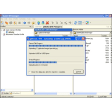
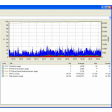
The new Transfer Manager allows you to ascertain the details of download or upload requests at a glance.The source, destination, and status of each request is detailed in the Transfer Manager window to keep you apprised of multiple connections, and make it easy to see which files have been transferred.
Intelligent queuing
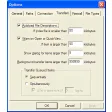
Intelligent Command Queue enables background completion of each command, so you don't have to wait on directory listings.Once connected to a server, FTP Explorer maintains a list of commands to carry out which makes listing files and searching the server much faster.
Select the directories that you want to browse as soon as you connect, and FTP Explorer will go to work downloading the directory information and listing its contents in the background while you continue to browse.





.png)




.png)











User reviews about FTP Explorer
Have you tried FTP Explorer? Be the first to leave your opinion!